

Key Takeaways
Smart Home Tech and the Renter's Dilemma
Smart home technology has become more accessible and affordable than ever — but renters face a constraint that homeowners don't: you don't own the walls, outlets, or fixtures. That means every upgrade has to pass a second test beyond "does it work?" — can I undo this when I move out?
The good news is that a large share of popular smart home devices are designed to be plug-and-play, wireless, and completely reversible. The challenge is knowing which category each device falls into before you buy. Crossing into modifications that affect the structure or electrical systems of a unit — even with good intentions — can put your security deposit at risk or violate your lease.
This guide breaks down the most common smart home upgrades by what's generally renter-safe, what requires landlord approval, and what to watch out for in between. For a broader look at how smart home systems fit together, see our full smart home overview.
Smart speakers and displays: always renter-safe
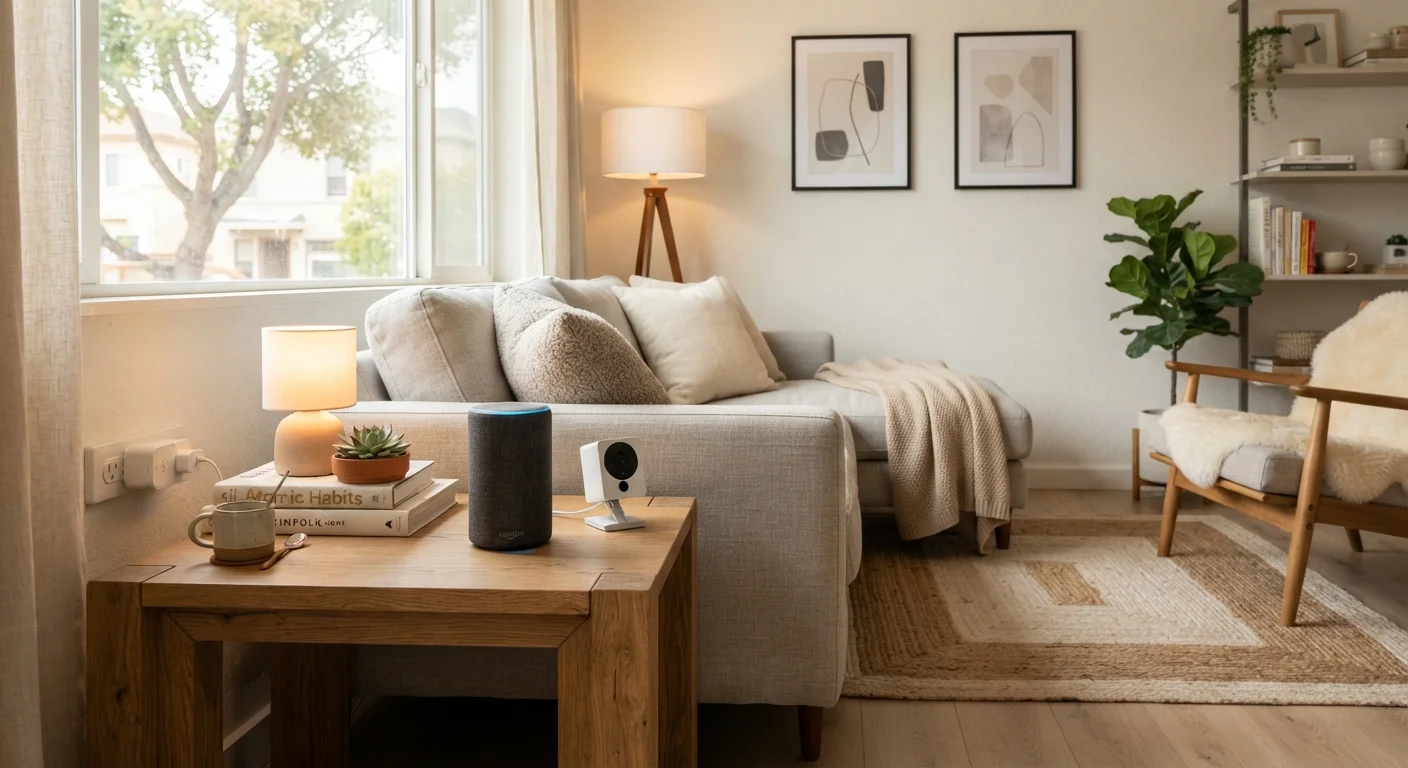
Smart speakers and smart displays are among the most straightforward devices for renters. They plug into a standard outlet, sit on a surface, and leave zero trace when you unpack them on move-out day. They don't require any physical integration with the unit itself.
These devices can serve as the control hub for other smart devices in your home — letting you manage lights, thermostats, and routines by voice — without touching a single wall. If you're new to smart home terminology, our plain-English glossary explains how these ecosystems connect.
Smart speakers leave zero trace — the cleanest possible upgrade for any renter.
Smart plugs and bulbs: no permission needed
Smart plugs convert any standard outlet into a remotely controllable one, letting you schedule lamps, fans, or small appliances. Smart bulbs replace standard bulbs in existing fixtures. Neither involves any wiring or structural change.
Both are among the most cost-effective entry points into home automation, and both are completely reversible. When you move, swap the original bulbs back in, unplug the smart plugs, and there's nothing to explain to a landlord. The only caveat: confirm your fixtures use standard bulb bases that smart bulbs support before purchasing.
Smart plugs and bulbs are the easiest reversible upgrade in any renter's toolkit.
Wireless security cameras: generally fine, with caveats
Battery-powered or plug-in wireless cameras placed on shelves, counters, or window ledges are typically renter-safe — they require no drilling or permanent mounting. Some renters use adhesive strips to mount cameras on walls, which can be acceptable if the adhesive is rated for clean removal, but test a small area first to avoid paint damage.
Where things get more complicated: pointing cameras toward shared building spaces, hallways, or neighboring units may violate building rules or local privacy laws. Keep cameras directed at your own interior or, where permitted, your own entry door only.
Keep wireless cameras pointed at your own space — shared areas can create legal complications.
Smart thermostats: the gray zone for renters
Smart thermostats are appealing for the energy savings they can offer, but they typically require replacing the existing thermostat — a process that involves disconnecting and reconnecting low-voltage wiring. This is a modification to the unit's HVAC system, and most leases require landlord approval for any such change.
Even if you intend to restore the original thermostat on move-out, doing this without permission can violate lease terms. The practical path: ask your landlord in writing. Some landlords are receptive, particularly if the device might reduce utility costs. Others won't permit it regardless. Get any approval in writing and keep the original thermostat to reinstall before you leave. For a broader look at wired versus wireless trade-offs, see our wired vs. wireless comparison.
Always get written landlord approval before swapping out a thermostat — it's a wiring change.
Smart locks: requires a clear landlord conversation
Smart locks that replace the existing deadbolt are one of the most lease-sensitive upgrades a renter can attempt. Locks are frequently called out specifically in lease agreements, and replacing them without permission — even temporarily — may constitute a lease violation in many jurisdictions, regardless of your intention to restore the original.
Some smart locks are designed to fit over an existing deadbolt on the interior side without replacing the cylinder — these are considerably more renter-friendly, since they don't alter the lock mechanism a landlord or building management controls. Read product specifications carefully and, as always, inform your landlord before making any change to entry hardware.
Interior-mount smart lock adapters are far safer for renters than full deadbolt replacements.
Video doorbells: installation method is everything
Video doorbells come in two main forms: wired (connected to existing doorbell wiring) and battery-powered. For renters, a battery-powered model mounted with a removable adhesive or a no-drill mount is the far safer option. Wired installation involves the building's electrical system and almost certainly requires landlord approval.
There's a further consideration: the doorbell is at the building's entry point, which affects shared building spaces and other tenants. Even with a battery model, it's courteous — and often required — to notify your landlord before installing any camera at a door you share with neighbors. If your building has a homeowners association or building management, their rules apply as well.
Battery-powered doorbells with no-drill mounts are the most practical option for renters.
Smart home hubs and routers: plug in and go
Dedicated smart home hubs — devices that coordinate communication between your connected devices — are plug-in electronics that don't interact with your unit's infrastructure at all. The same applies to mesh Wi-Fi routers or Wi-Fi extenders. These devices sit on shelves or counters, connect to your existing internet service, and move with you when you leave.
One practical note: if your building provides internet service as part of rent, check whether you're permitted to connect your own router to the provided modem. Most landlords permit this, but some building-wide networks have restrictions worth clarifying.
Smart hubs and mesh routers are plug-in devices that move with you — no lease issues.
Making Smart Choices Before You Buy
Before investing in any smart home device, read your lease carefully. Look for language about "alterations," "modifications," "fixtures," or "locks" — these clauses often govern more than renters expect. When in doubt, a quick written message to your landlord asking for clarification is always worth the effort.
Document Before You Modify Anything
Before installing any device — even a removable one — photograph the existing condition of the area. This protects you if a landlord later claims damage that was pre-existing. Keep records of any written landlord approvals alongside those photos in a folder you can access easily on move-out day.
It's also worth understanding the ongoing costs that come with smart home ecosystems. Subscription fees, hub hardware, and compatibility limitations can add up — our article on the hidden costs of a smart home buildout covers what rarely appears in product listings. And once your devices are set up, keeping them secure is an equally important step that's easy to overlook.
This article provides general informational guidance only and does not constitute legal or tenancy advice. Lease terms, landlord rules, and local regulations vary. Always review your own lease and consult a qualified professional if you have specific legal questions about your rental situation.