

Key Takeaways
Option A
Desktop Computer
The high-performance, stay-at-home powerhouse.
Best for: Users who work from a fixed location and want maximum performance, large displays, and long-term upgradeability.
Option B
Laptop Computer
The flexible, go-anywhere all-in-one.
Best for: Users who need a single device that works at home, at the office, and everywhere in between.
If you work primarily from one desk and need maximum performance
Desktop Computer
Desktops offer greater processing power, better cooling, and easier component upgrades — making them more capable workhorses for a fixed location.
If you move between locations regularly — home, office, or travel
Laptop Computer
A laptop's built-in screen, keyboard, battery, and compact form factor make it the only practical choice for users who are frequently on the move.
If you're a student needing one device for class and home use
Laptop Computer
Portability and versatility make a laptop far more practical for campus life, where carrying your computer between classes and study spaces is the norm.
If you do demanding creative or technical work from a home studio
Desktop Computer
Video editing, 3D rendering, and similar tasks benefit enormously from desktop-grade cooling, expandable RAM, and dedicated GPU options unavailable in most laptops.
The Core Trade-Off: Power vs. Portability
When comparing a desktop to a laptop, most differences trace back to one fundamental trade-off: raw capability versus the freedom to move. Desktops are built without the constraints of battery life or a compact chassis, so manufacturers can pack in larger components, more aggressive cooling, and higher-wattage processors. Laptops, by contrast, are engineered around efficiency and portability — every design decision balances performance against heat, weight, and battery draw.
This doesn't mean laptops are underpowered. Modern laptops handle productivity tasks, video streaming, photo editing, and light creative work with ease. But when workloads grow intensive — sustained video rendering, large database operations, or high-end gaming — desktop hardware tends to sustain higher performance levels for longer without throttling due to heat.
If you're curious how the internal specs actually affect everyday use, our guide on what laptop specs really mean breaks it down in plain language.
| Criterion | Desktop | Laptop |
|---|---|---|
| Portability | Fixed location only | Fully portable |
| Performance ceiling | Higher for demanding tasks | Capable, but thermally limited |
| Upgradability | Generally extensive | Limited or none on many models |
| Display included | No — sold separately | Yes — built in |
| Battery backup | None (needs UPS separately) | Built-in battery |
| Desk space required | Significant | Minimal |
| Lifespan potential | Longer with upgrades | Shorter without upgradability |
Upgradability and Long-Term Value
One of the most overlooked differences between the two form factors is how well each ages. Desktops are typically designed with upgradability in mind. You can often swap in more RAM, add a faster SSD, replace a graphics card, or upgrade a processor — extending the useful life of the machine without buying an entirely new unit.
Most laptops offer limited or no upgradability. Some allow RAM or storage swaps, but many modern thin-and-light designs solder components directly to the motherboard, making upgrades impossible. Before purchasing either form factor, it's worth researching exactly which components — if any — can be replaced later.
~5–7 years
Typical useful lifespan of a desktop
Technology analysts generally consider well-maintained desktops capable of serving productivity workloads for five to seven years or more, particularly when key components are upgraded.
~3–5 years
Typical useful lifespan of a laptop
Consumer laptops commonly reach end of practical usefulness within three to five years, especially non-upgradable thin-and-light models where aging hardware cannot be replaced.
Once you've made your choice, our guide to setting up a new computer walks through getting your new machine configured and secure from first boot. And for keeping it running well over the years, see our long-term maintenance guide.
Everyday Usability: What Life With Each Looks Like
Practical day-to-day experience matters just as much as benchmark numbers. A desktop demands a dedicated space — a desk, a power outlet, a monitor, a keyboard, and a mouse. That's a real commitment. But it also means you can configure a large, ergonomic workspace with a high-resolution display, a full-size keyboard, and any peripherals you need.
A laptop trades that spaciousness for freedom. You can work from your kitchen table, a coffee shop, a hotel room, or a couch. The built-in battery means short power outages don't interrupt your work. If you've ever wondered about the right habits around that battery, common myths about keeping a laptop plugged in is worth a read.
The Hybrid Setup: Best of Both?
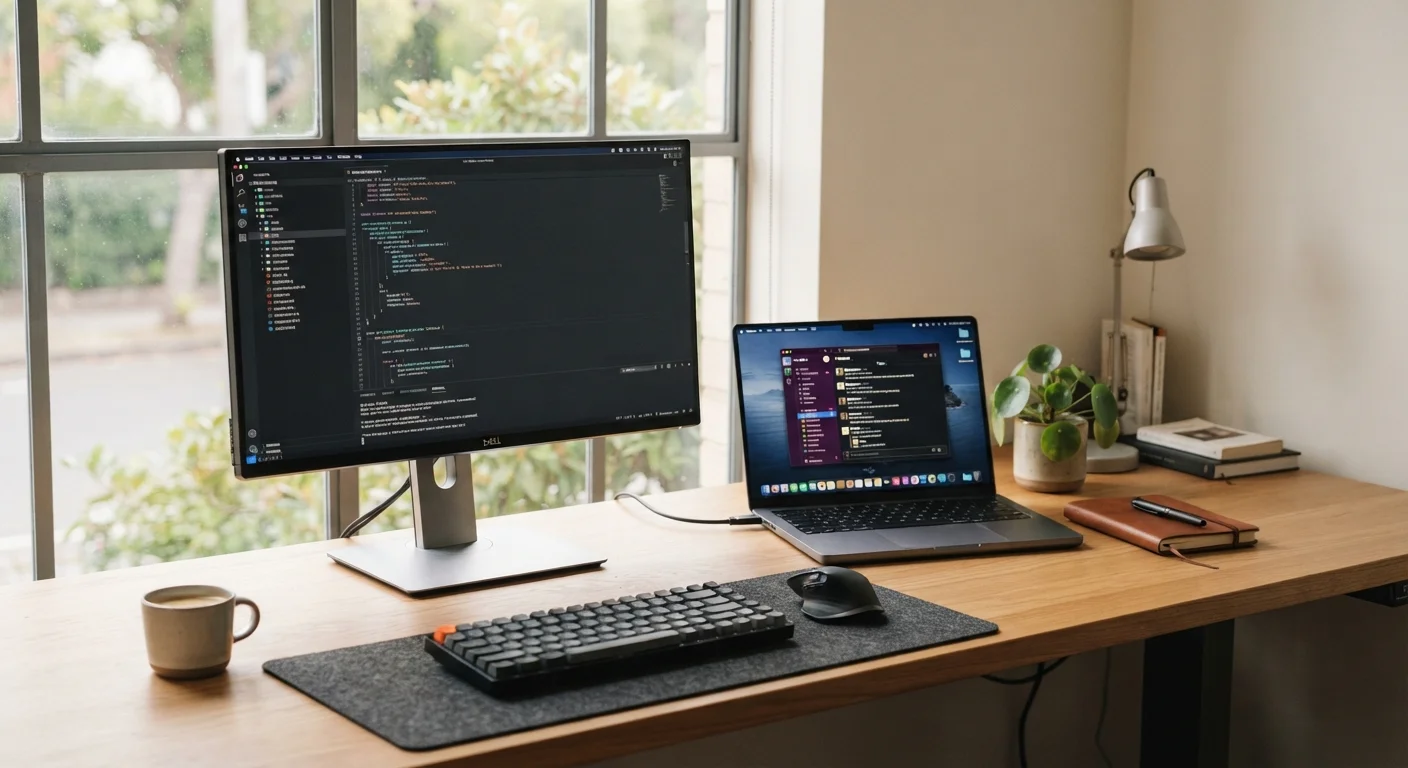
Some users address the portability-versus-power dilemma by using a laptop as their primary device and connecting it to a larger external monitor, full-size keyboard, and mouse when at their desk. This approach doesn't fully replicate desktop performance, but it meaningfully improves ergonomics and usability at home without sacrificing the ability to work on the go. The trade-off is the added cost of peripherals and the complexity of managing cables or a docking station.
For users who want portability but find a laptop's screen too small, some choose a laptop paired with an external monitor and keyboard at home — a hybrid approach that captures aspects of both form factors. It's also worth noting that if you're weighing something even more portable, comparing a tablet and a laptop is a separate but related decision.