

Key Takeaways
Option A
Paper Filing System
The tactile, no-tech, always-accessible classic.
Best for: Households that prefer physical access, dislike technology dependencies, or need to store originals with legal weight.
Option B
Digital Document Management
The searchable, space-saving, shareable modern method.
Best for: Households that want instant retrieval, remote access, and reduced physical clutter.
If you manage mostly legal originals (deeds, wills, birth certificates)
Paper Filing System
Certain documents carry weight only in original form. A fireproof physical file or safe deposit box protects them best.
If you want to find any document in under 60 seconds
Digital Document Management
Keyword search across scanned PDFs dramatically outpaces flipping through physical folders when you need something fast.
If you're managing a full household with multiple adults
Digital Document Management
Shared cloud folders give every household member access without anyone physically handing over a file.
If technology feels unreliable or you distrust cloud services
Paper Filing System
A well-labeled physical filing cabinet requires no passwords, no internet, and no software updates.
If you want the most resilient long-term household system
Paper Filing System
A hybrid setup - physical originals plus digital backups - gives you redundancy that neither method alone provides.
Why Document Organization Actually Matters
Most households generate more paperwork than they realize: utility bills, insurance declarations, appliance warranties, HOA notices, tax records, mortgage statements, and medical EOBs accumulate quickly. When you can't locate the right document at the right moment - during a claim, a home sale, or a repair - the cost is stress, time, and sometimes money.
A reliable system doesn't need to be elaborate. It needs to be consistent and matched to how your household actually operates. This comparison will help you weigh the genuine trade-offs between keeping records on paper, going fully digital, or combining both - so you can build a system that holds up in real life. For a broader look at reducing day-to-day decision friction, see household systems that reduce decision fatigue.
Paper Filing: Strengths, Weaknesses, and Setup Tips
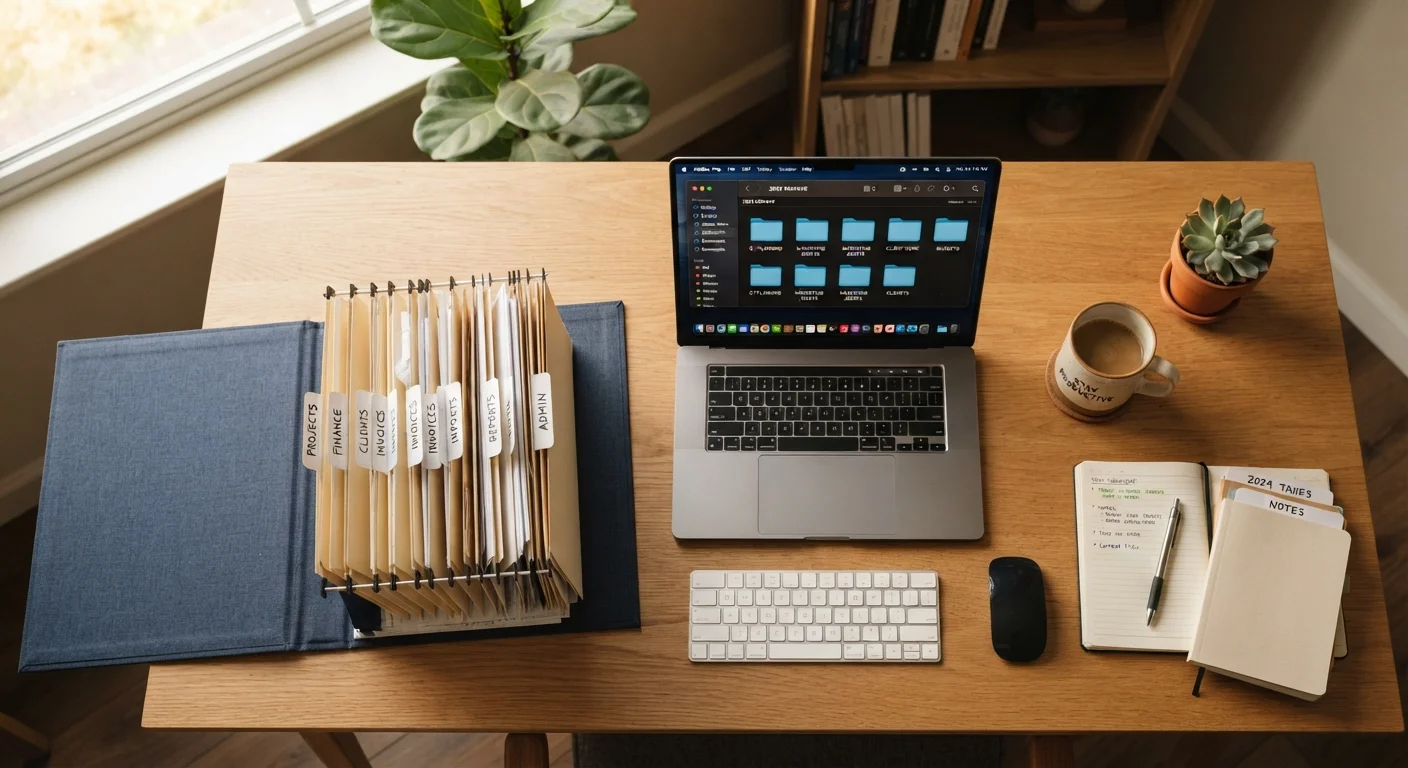
A physical filing system is simple to start: a set of labeled folders, a filing cabinet or accordion binder, and a consistent habit of filing documents when they arrive. No apps, no passwords, no technical skills required.
Where paper excels: Original documents - deeds, wills, Social Security cards, birth certificates, signed contracts - often need to exist in physical form. Courts, lenders, and insurers may require originals, and a paper-based system naturally keeps these accessible. There's also no risk of a cloud provider changing terms, going offline, or getting hacked.
Where paper struggles: Physical files can't be searched - you have to remember your own filing logic to find anything. They're vulnerable to fire, flooding, and simple misplacement. And for multi-person households, there's no easy way to share access without being in the same room.
Setup tip: Use broad, intuitive categories - Home, Vehicles, Insurance, Medical, Taxes, Warranties - rather than highly specific subcategories you'll forget. Purge expired warranties and outdated statements annually. Consider a fireproof document bag or small safe for true originals. See also keeping a home repair log for one document type that rewards consistent paper-and-digital tracking.
Digital Document Management: Strengths, Weaknesses, and Setup Tips
Digital systems let you store scanned or downloaded documents in organized folders on your computer, an external drive, or a cloud storage service. The practical payoff is real: a searchable PDF library means you can locate a five-year-old appliance manual or a past insurance declaration in seconds.
Where digital excels: Retrieval speed is the biggest advantage. A consistent file-naming convention - such as YYYY-MM_Category_Description (e.g., 2023-09_Insurance_HomePolicy) - makes any file findable without remembering exactly which subfolder holds it. Cloud storage also enables shared access across devices and household members without anyone needing to be home.
Where digital struggles: Digital files require maintenance: storage accounts need active subscriptions, devices fail, and files can be accidentally deleted. Security matters too - sensitive financial and identity documents stored online carry some risk if accounts aren't protected with strong passwords and two-factor authentication.
Setup tip: Follow the 3-2-1 backup principle - three copies, on two different storage types, with one copy off-site (such as cloud storage). For a deeper look at the trade-offs between cloud and local storage options, this guide to cloud vs. local storage covers the key considerations well.
| Criterion | Paper Filing | Digital Management |
|---|---|---|
| Retrieval speed | Manual search required | Keyword searchable in seconds |
| Setup cost | Folders, cabinet, minimal cost | Scanner, storage subscription may apply |
| Legal originals | Stored directly | Copies only; originals still needed |
| Disaster risk | Vulnerable to fire, water | Vulnerable if not backed up off-site |
| Shared household access | Requires physical presence | Accessible from any device |
| Tech dependency | None | Requires devices, passwords, internet |
| Space required | Physical storage needed | Minimal physical footprint |
The Hybrid Approach: Getting the Best of Both
For most households, neither a purely paper nor a purely digital system is ideal. A hybrid model combines the reliability of physical originals with the convenience of digital search and backup.
A workable hybrid looks like this: keep true originals (deeds, birth certificates, tax returns with signatures) in a labeled physical file or fireproof safe; scan everything else and store those scans in a consistent digital folder structure with clear file names. When a new document arrives - a warranty card, an insurance renewal, a utility contract - file the paper if it's an original, scan and save a digital copy regardless.
~40%
Adults without a will or estate documents filed
Surveys by legal organizations consistently find a large share of U.S. adults lack organized access to key legal documents, underscoring why retrieval systems matter.
3-2-1
Recommended backup copies for digital files
The 3-2-1 backup rule - three copies, two storage types, one off-site - is a widely cited data-protection standard among IT professionals and archivists.
Shared access is a practical benefit worth emphasizing. If one household member manages the physical files, another can still access digital scans from their own device. This overlaps meaningfully with how households share other management responsibilities - something explored in approaches to dividing household responsibilities.
Whether you go paper, digital, or hybrid, the single most important factor is a system you'll actually maintain. Start simple, label clearly, and set a recurring reminder - quarterly or annually - to purge what's no longer needed.