

| Primary wireless protocols | Wi-Fi, Zigbee, Z-Wave, Thread, Bluetooth |
| Matter certification body | Connectivity Standards Alliance (CSA) |
| Z-Wave US radio frequency | ~908.42 MHz |
| Typical Zigbee range (indoors) | 10–20 meters per node; extended via mesh |
| Local vs. cloud processing | Local = faster, more reliable; Cloud = internet-dependent |
| Hub vs. bridge | Hub coordinates many protocols; bridge links one to another |
Why Smart Home Language Can Feel Overwhelming
Shopping for a smart light switch or a connected thermostat often means running into a wall of unfamiliar terms — Matter, Zigbee, Z-Wave, hub, bridge, latency, local processing. These words appear in product listings, setup guides, and forum discussions, and they're rarely explained in the moment you need them most.
This reference defines the terms you're most likely to encounter, in plain language and without assuming prior technical knowledge. Whether you're just starting out or trying to fill in gaps in your existing setup, use this page as a quick-lookup companion. For a broader overview of how all these pieces fit together, see the full picture of smart home automation.
Matter
An open connectivity standard developed by a consortium of technology companies that allows smart home devices from different manufacturers to work together. A Matter-certified device can be controlled by multiple ecosystems (such as Apple Home, Google Home, or Amazon Alexa) simultaneously, reducing lock-in to a single platform.
Zigbee
A low-power wireless protocol commonly used in smart home devices such as bulbs, sensors, and locks. Zigbee devices form a mesh network, so each device can pass signals along to others, extending range without a direct connection to a router.
Z-Wave
A wireless protocol similar in purpose to Zigbee but operating on a different radio frequency (around 908 MHz in the US), which helps reduce interference from Wi-Fi and Bluetooth. Z-Wave also uses a mesh network topology and is widely used in security and home automation devices.
Hub
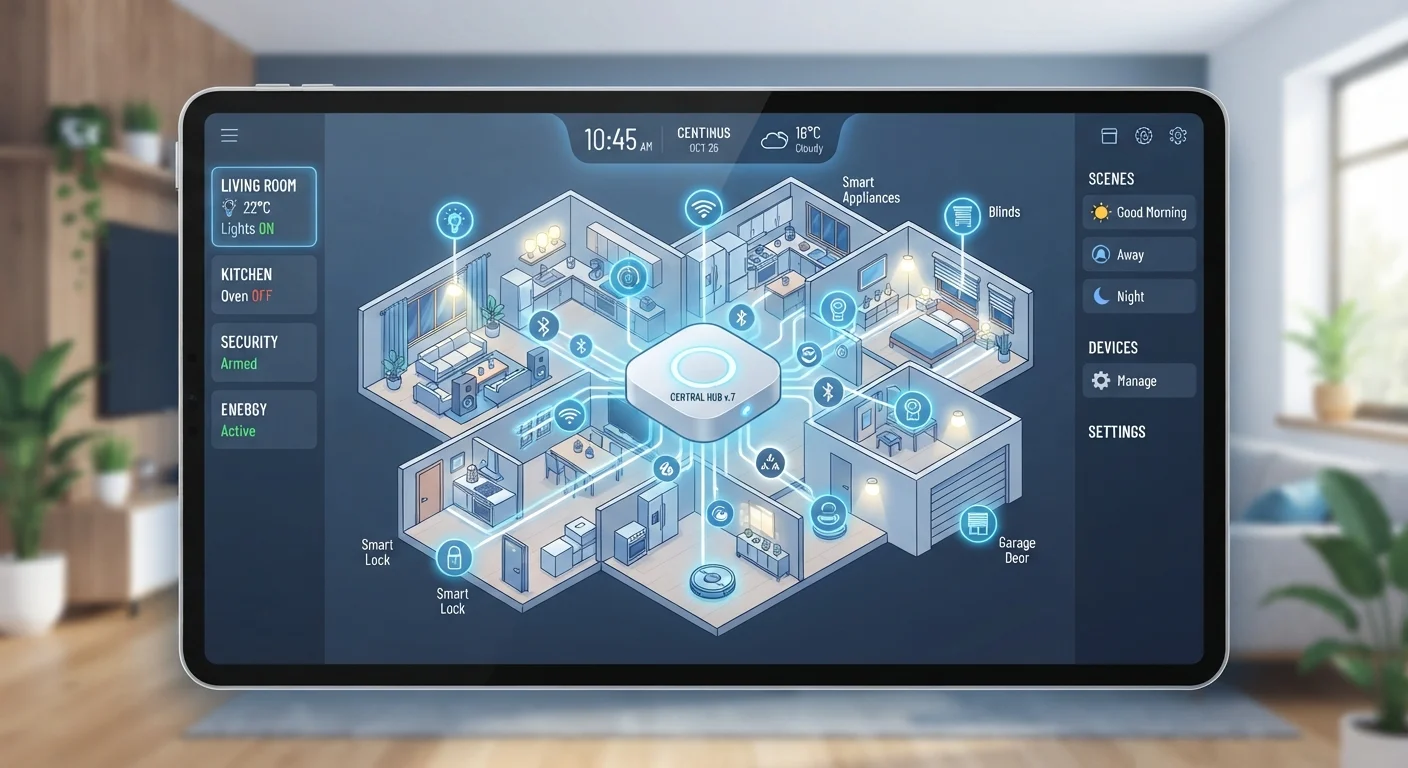
A central device that connects and coordinates multiple smart home devices, often across different protocols. A hub translates between protocols and allows you to create automations that involve several devices working together — for example, turning on lights when a sensor detects motion.
Bridge
A device that connects one specific ecosystem or protocol to another, usually more narrowly than a hub. For example, a Philips Hue Bridge connects Zigbee-based bulbs to your home network so they can be controlled via an app or voice assistant.
Local Processing
When a smart home device or hub runs automations and responds to commands using hardware inside your home, without sending data to a remote server. This typically results in faster response times and continued operation during internet outages.
Cloud Processing
When commands or automation logic are handled on a company's remote servers rather than inside your home. This requires an active internet connection and can introduce latency; it also means device functionality may be affected if the company discontinues its service.
Latency
The delay between sending a command (such as tapping an app button) and the device responding. Lower latency generally means a more responsive, reliable experience. Cloud-dependent devices tend to have higher latency than locally processed ones.
Mesh Network
A network topology in which each device acts as both an endpoint and a relay, passing signals between nodes. In smart home contexts, Zigbee and Z-Wave devices use mesh networking so that adding more devices typically strengthens and extends the network's reach.
Ecosystem
A branded platform — such as Apple Home, Google Home, or Amazon Alexa — that serves as the controlling layer for compatible smart home devices. Devices within one ecosystem can generally work together, but cross-ecosystem compatibility has historically required bridges or Matter certification.
Automation
A rule or routine you configure so that devices act without manual input. A common example: 'When the door sensor opens after sunset, turn on the hallway light.' Automations can be simple triggers or complex multi-step sequences managed by a hub or app.
Thread
A low-power mesh networking protocol designed for smart home devices, developed as a complement to Matter. Thread provides the underlying radio communication layer, while Matter defines how devices identify and interact with each other at a higher level.
Core Concepts at a Glance
Before diving into individual terms, it helps to understand the three layers most smart home systems are built around: devices (the physical hardware, like a bulb or lock), protocols (the wireless languages devices use to communicate), and controllers (the apps, hubs, or voice assistants that send commands). Most confusion arises when products use different protocols and can't speak to each other — or when a hub is marketed as a bridge, or vice versa.
| Primary wireless protocols | Wi-Fi, Zigbee, Z-Wave, Thread, Bluetooth |
| Matter certification body | Connectivity Standards Alliance (CSA) |
| Z-Wave US radio frequency | ~908.42 MHz |
| Typical Zigbee range (indoors) | 10–20 meters per node; extended via mesh |
| Local vs. cloud processing | Local = faster, more reliable; Cloud = internet-dependent |
| Hub vs. bridge | Hub coordinates many protocols; bridge links one to another |
For comparison, many of the wireless terms below — including Wi-Fi and Bluetooth — are also used in smartphones and everyday devices. Our wireless glossary for everyday users covers those in detail if you need a parallel reference.
Protocols, Processing, and What They Mean for You
The protocol a device uses determines which other devices it can communicate with — and how reliably. Wi-Fi devices connect directly to your home router, which means no extra hardware, but they can crowd a busy network. Zigbee and Z-Wave devices form mesh networks, meaning each device can relay signals for its neighbors, improving range and reducing single-point failures. Matter, a newer standard, is designed to let devices from different manufacturers work together without compatibility guesswork.
Local processing means commands are handled inside your home — by a hub or the device itself — without a trip to a cloud server. This generally means faster response times and the ability to keep automations running even if your internet goes down. Cloud processing routes commands through a company's remote servers, which can introduce delays (called latency) and creates a dependency on that company's service staying online.
Internet Outages and Your Smart Home
Devices that rely entirely on cloud processing may stop responding to app commands and automations during an internet outage, even though your home network is still functioning. If reliability during outages matters to you, look for devices or hubs that advertise local processing capabilities. Always check the product's documentation to confirm how it handles connectivity loss, since marketing language can be imprecise.
Understanding these distinctions also applies beyond smart home tech. If you've ever wondered why streaming services buffer or why a voice assistant sometimes lags, similar concepts are at play — our streaming terminology guide explores those ideas in a different context.