

Key Takeaways
Smart Plug
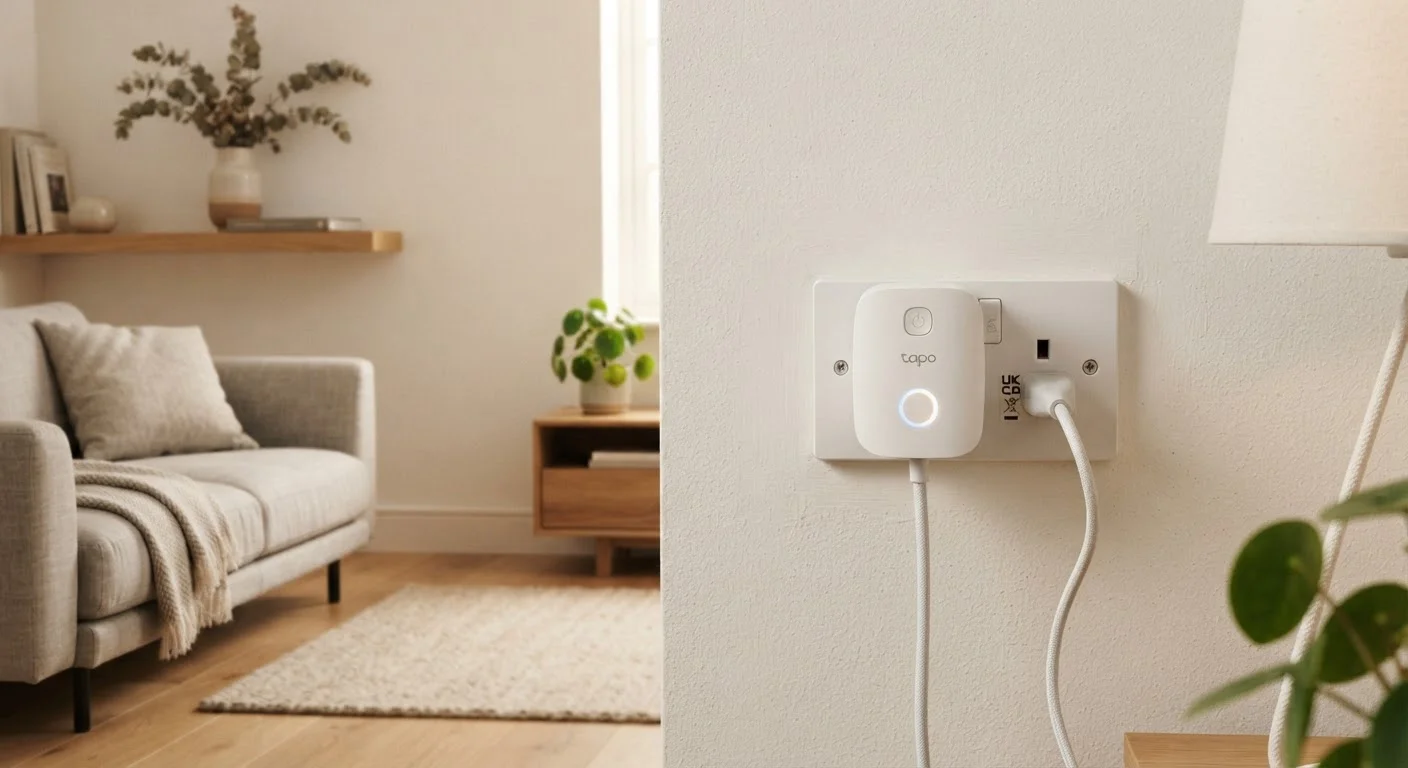
A smart plug is a small adapter that sits between a standard wall outlet and whatever device you plug into it. It connects to your home Wi-Fi (or another wireless protocol) and lets you control power to that device remotely — through an app, a voice assistant, or an automated schedule. Most people use them to turn lamps or fans on and off, but they're capable of much more.
Smart plugs typically communicate over Wi-Fi (2.4 GHz), Zigbee, or Z-Wave. Wi-Fi models work without a hub; Zigbee and Z-Wave models require a compatible hub but often offer lower latency and better mesh networking.
What a Smart Plug Actually Does
At its core, a smart plug is an electrically controlled relay — it can open or close the circuit between your outlet and whatever is plugged into it. That single capability, wrapped in a Wi-Fi or wireless radio, unlocks a surprising range of uses that most owners never explore.
When you plug a lamp into a smart plug, you're not just gaining a remote light switch. You're adding scheduling, energy visibility, and the ability to tie that lamp into broader home routines. The plug itself does not change how the device operates — it only controls whether power reaches it at all.
This matters because smart plugs are among the least disruptive ways to begin automating a home. There's no installation, no electrician, and no wall-plate replacement required. For a deeper look at how plugs fit into a broader automation strategy, see the full picture of smart home automation.
Smart Plugs vs. Smart Switches
Smart plugs control power at the outlet level and are completely portable. Smart switches replace a wall switch and control a hardwired circuit. If you want to automate overhead lighting, a smart switch is usually the right tool. If you want to automate a portable lamp or appliance, a smart plug is simpler and requires no electrical work.
Energy Monitoring: The Underused Feature
Many mid-range and higher smart plugs include a wattmeter — a sensor that tracks how much electricity a connected device is drawing in real time. This feature is genuinely useful and is overlooked by a large share of buyers.
With energy monitoring active, you can see exactly how much power your TV draws on standby versus during active use, whether your older refrigerator is pulling more current than expected, or how long your home office equipment is left on after work hours.
5–10%
Share of home electricity from standby loads
The U.S. Department of Energy has estimated that standby power — devices drawing electricity while switched off or idle — can account for roughly 5 to 10 percent of a home's annual electricity use.
1–2 W
Typical smart plug standby draw
Most Wi-Fi smart plugs consume between 1 and 2 watts continuously to maintain their network connection, a small but ongoing draw to factor into whole-home efficiency planning.
15 A
Maximum rated load for most consumer plugs
The majority of consumer-grade smart plugs carry a 15-amp maximum load rating, which covers most lamps and small appliances but may be insufficient for high-draw devices like portable heaters.
The data is typically available inside the plug's companion app, often displayed as daily or monthly consumption summaries. Some platforms allow you to set alerts if usage spikes — a useful signal that a device may be malfunctioning or was accidentally left running.
Scheduling and Automation: Beyond Remote Control
A remote on/off switch is useful, but a smart plug's real value comes from automation — removing the need for manual action at all. Most plug apps allow time-based schedules: a coffee maker that powers up at 6:45 a.m., a fan that turns off at 11 p.m., or holiday lights that run precisely from sunset to 10 p.m. every evening.
More sophisticated setups connect plugs to broader home routines. A "leaving home" routine might cut power to entertainment devices and a desk fan simultaneously. An "arriving home" routine might restore power to a floor lamp. These kinds of automations are central to the concept covered in running a home on autopilot.
Test Before You Automate
Before building a schedule around a device, manually cut and restore power to it a few times using the app. Confirm that the device returns to an active on-state when power is restored — not a standby or off-state. This simple check prevents automation frustration later.
One practical constraint: automation only works reliably when the plugged-in device powers itself on when electricity is restored. Many modern electronics — televisions, for example — default to a standby state after a power interruption rather than turning fully on. A simple lamp or a drip coffee maker with a manual switch will behave more predictably.
Compatibility, Protocols, and Ecosystem Considerations
Smart plugs speak different wireless languages, and not all of them work with every platform. Wi-Fi plugs are the most broadly compatible and require no additional hardware, but they add another device to your router's network. Zigbee and Z-Wave plugs require a hub but benefit from dedicated mesh networks designed for smart home devices.
Before committing to a particular plug, it's worth checking whether it works with your existing voice assistant or home automation app. Fragmentation in this space is real — a plug that integrates smoothly with one platform may behave differently or offer fewer features on another. Why smart home devices stop working together covers this risk in more detail.
The Matter protocol — a newer interoperability standard backed by major platform developers — aims to reduce compatibility headaches over time, though adoption is still maturing. If long-term flexibility matters to you, understanding wired versus wireless trade-offs provides useful framing for thinking through your setup.
“Interoperability has always been the Achilles' heel of smart home technology. When devices don't communicate reliably across ecosystems, consumers bear the cost in frustration and stranded hardware.”
— Consumer Technology Association, Industry trade body representing consumer electronics manufacturers and standards development
Where Smart Plugs Work Best — and Where They Don't
Smart plugs are most effective with appliances that turn fully on whenever power is applied: floor lamps, box fans, string lights, drip coffee makers, and small space heaters (within the plug's rated load). These devices don't have their own standby logic, so restoring outlet power is the same as pressing their on switch.
They're less effective with modern televisions, computers, or any appliance that has its own microcontroller managing power states. Cutting and restoring power to a desktop PC, for example, does not reliably start a boot cycle — and may even cause data loss if the machine was running.
High-draw appliances also warrant caution. Most consumer smart plugs are rated for up to 15 amps. Devices like portable space heaters, window air conditioners, or electric kettles can approach or exceed that threshold. Always verify the appliance's rated wattage and compare it to the plug's maximum load before use. For a broader view of what smart home additions actually cost — including overlooked considerations — see the hidden costs of a smart home buildout.