

Key Takeaways
Option A
Android
The open, flexible platform with hardware variety.
Best for: Users who want customization options, a range of device price points, and deeper control over their phone's behavior.
Option B
iOS
The tightly integrated system built around simplicity and consistency.
Best for: Users who prioritize a polished, consistent experience, tight Apple ecosystem integration, and long-term software support.
If you want to customize your home screen, widgets, and default apps
Android
Android allows deeper personalization, including sideloading apps and setting third-party defaults for browsers and email clients.
If you already use Apple devices like a Mac, iPad, or Apple Watch
iOS
Features like Handoff, AirDrop, and iMessage create seamless cross-device continuity that Android cannot replicate within the Apple ecosystem.
If long-term software support is a priority
iOS
Apple typically supports iPhones with major OS updates for six or more years; Android update commitments vary by manufacturer.
If you want flexibility across a wide range of budgets and form factors
Android
Android runs on devices across nearly every price tier, from budget handsets to foldables, giving consumers far more choice.
If you use Google Workspace, Gmail, or Google services heavily
Android
Google services are natively integrated into Android, with deeper system-level access than their iOS counterparts.
What Actually Sets These Two Platforms Apart
Android and iOS are both capable, mature smartphone operating systems — but they represent genuinely different philosophies about how a phone should work. Understanding what mobile operating systems actually do helps frame why these differences matter in everyday use.
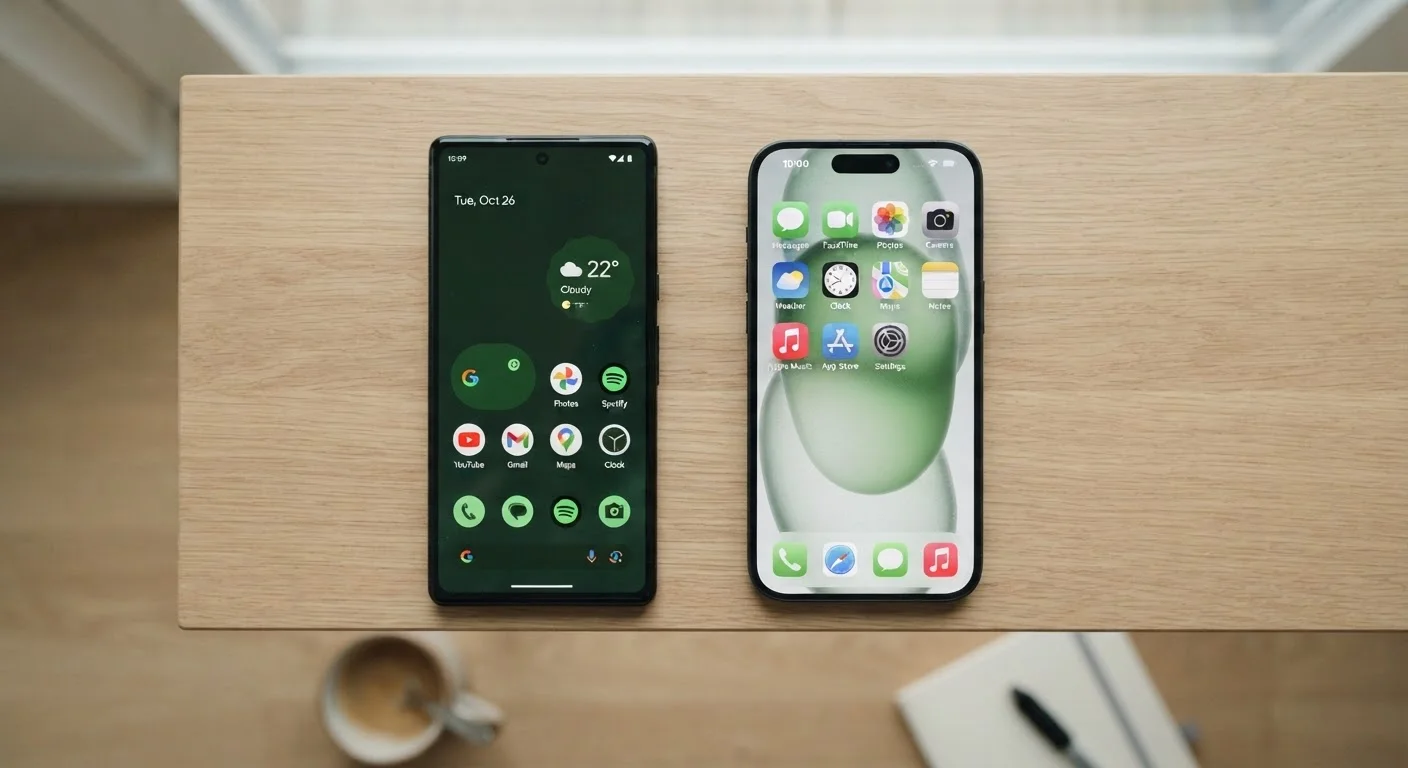
Android is developed by Google and is used by dozens of hardware manufacturers worldwide. That openness means you'll find Android on phones ranging from entry-level models to premium foldables. iOS, developed by Apple, runs exclusively on iPhones. This closed model gives Apple end-to-end control over both software and hardware, which shapes the experience in fundamental ways.
The most visible difference is customization. Android lets users change default apps, install apps from outside the official app store (a process called sideloading), and rearrange their home screen with far more flexibility. iOS offers a more structured environment — Apple curates what's available and how deeply apps can interact with the system.
| Criterion | Android | iOS |
|---|---|---|
| Hardware variety | Many manufacturers, wide price range | Apple only; limited models |
| Customization | High — defaults, sideloading, widgets | Moderate — improving, but more restricted |
| Software update longevity | Varies by manufacturer (2–7 years) | Typically 6+ years from Apple |
| Privacy controls | Strong; improving with each release | Strong; ATT a notable differentiator |
| Ecosystem integration | Deep Google services integration | Deep Apple device integration |
| App availability | Broad; some apps launch later | Broad; some apps launch here first |
| Update delivery speed | Varies — manufacturer and carrier delays | Direct from Apple to all devices |
Privacy, Security, and App Permissions
Both platforms have strong security foundations, but their approaches differ. Apple positions privacy as a core product value, with features like App Tracking Transparency (ATT) — which requires apps to ask permission before tracking you across other apps and websites. Google has introduced similar controls but has historically relied more on data for its advertising business, a distinction worth understanding.
On both platforms, apps can request access to your location, camera, microphone, and contacts. Neither system automatically grants these — users must approve them. For a deeper look at what those permissions actually mean, see the app permissions you should actually review.
Security Updates Aren't Guaranteed Equally
On iOS, Apple delivers security patches to all supported devices at the same time. On Android, the timeline depends on your device manufacturer and, in some cases, your mobile carrier. If timely security updates are a priority, check your device manufacturer's published update policy before purchasing. Some Android manufacturers now commit to four or more years of security patches.
Security update delivery also differs. Apple pushes updates directly to all supported iPhones simultaneously. On Android, updates must pass through the device manufacturer and sometimes the mobile carrier before reaching your phone, which can introduce delays.
Apps, Ecosystem Lock-In, and the Real Cost of Switching
The app gap has narrowed considerably. Most major apps — social media, banking, navigation, streaming — are available on both platforms. However, some apps still launch earlier on iOS, and a handful remain platform-exclusive. Apple's iMessage, for example, is iOS-only; Android users communicating with iPhone users will send standard SMS or MMS messages instead.
~27%
iOS global smartphone market share
According to Statcounter data, iOS consistently holds roughly a quarter of global smartphone usage, with Android accounting for most of the remainder.
3.5M+
Apps available on Google Play Store
Both major app stores host millions of apps, making platform-exclusive titles the exception rather than the rule for most everyday users.
Ecosystem lock-in is the most underappreciated factor when considering a switch. If you rely on iCloud for photos, iMessage for texting, or FaceTime for video calls, moving to Android means finding replacements for all of these. The reverse is true if you're deeply embedded in Google Photos, Google Drive, or Android-specific apps. The process of transferring your data to a new phone is manageable but requires planning — especially when moving between platforms rather than within the same one.
Both platforms also offer robust accessibility features that are easy to overlook. Learn more about built-in accessibility tools on both platforms before assuming one platform serves your needs better in this area.
Ultimately, neither Android nor iOS is objectively superior — the right choice depends on the devices you already own, the services you rely on, and how much control versus consistency matters to you. This article is part of our complete smartphone guide, which covers setup, security, and getting more from your device regardless of which platform you're on.