

Key Takeaways
Internet Speed Terminology
Internet speed terminology refers to the set of measurements—like Mbps, latency, and bandwidth—that describe how fast and how reliably data travels between your device and the internet. These numbers appear on every internet plan and router spec sheet, but they measure different things. Knowing what each term actually means helps you choose the right plan and troubleshoot problems more effectively.
Bandwidth and throughput are related but distinct: bandwidth is the theoretical maximum capacity of a connection, while throughput is the actual data rate achieved under real-world conditions, which is typically lower.
Mbps: The Number on Your Internet Plan
When an internet provider quotes you a plan speed—say, 200 Mbps or 1 Gbps—they are describing megabits per second, the standard unit for measuring data transfer rates. One megabit equals one million bits, and a gigabit equals one billion bits. For context, downloading a standard HD movie file of around 4 gigabytes at 100 Mbps would take roughly five to six minutes under ideal conditions.
It is important to distinguish between megabits (Mb) and megabytes (MB). File sizes on your device are measured in megabytes or gigabytes, but internet speeds are quoted in megabits. Since there are 8 bits in a byte, dividing your Mbps speed by 8 gives you a rough sense of how many megabytes per second you can actually move. A 100 Mbps connection transfers approximately 12.5 MB per second.
For most streaming services, the Mbps requirement varies by video quality. Standard definition typically requires 3–5 Mbps, HD around 5–25 Mbps depending on the platform, and 4K content can demand 25 Mbps or more per stream. See our glossary of streaming terms for a breakdown of quality tiers and what they mean in practice.
25 Mbps
FCC minimum broadband download speed threshold
The U.S. Federal Communications Commission defines broadband as a connection delivering at least 25 Mbps download and 3 Mbps upload, though many households require significantly more for multi-device use.
~12.5 MB/s
Effective file transfer rate at 100 Mbps
Because there are 8 bits per byte, a 100 Mbps connection moves approximately 12.5 megabytes of file data per second under ideal, single-device conditions.
20+ ms
Typical added latency from Wi-Fi vs. Ethernet
Wi-Fi connections generally introduce additional latency compared to a direct wired Ethernet connection, with the gap varying based on router quality, interference, and distance from the access point.
Bandwidth: Capacity, Not a Guarantee
Bandwidth is the total data-carrying capacity of your internet connection—the theoretical ceiling, not a promise of what every device will receive at any given moment. Imagine a water pipe: a wider pipe can carry more water simultaneously, but if multiple faucets are open at once, each gets a smaller share of the total flow.
Every device connected to your home network competes for a slice of that bandwidth. A household with several smartphones, a laptop running video calls, a smart TV streaming 4K content, and a gaming console downloading an update will collectively consume far more bandwidth than any single activity. This is why a 100 Mbps plan may feel slow at peak household hours despite advertising high speeds.
Understanding bandwidth helps explain why wired and wireless connections behave differently. A wired Ethernet connection typically delivers a more consistent share of available bandwidth to a single device, while Wi-Fi introduces additional variables that can reduce effective throughput.
Check How Many Devices Share Your Connection
Before assuming your internet plan is too slow, count the active devices on your network. Smartphones, smart speakers, streaming sticks, and security cameras all consume bandwidth even when you are not actively using them. Many modern routers include a connected-devices list in their settings that can reveal unexpected bandwidth consumers.
Latency: The Delay That Speed Doesn't Measure
Latency—often called ping—measures the time it takes for a small packet of data to travel from your device to a server and back. It is expressed in milliseconds (ms). Unlike download speed, latency is not about volume; it is about responsiveness. A connection with 1,000 Mbps bandwidth but 200 ms of latency will still feel sluggish during a video call or online game because every exchange involves an uncomfortable delay.
High latency is most noticeable in real-time applications. During a video conference, it creates the awkward pauses where people talk over each other. In online gaming, it causes the lag between a player's action and the game's response. For straightforward web browsing or watching pre-buffered video, moderate latency is far less disruptive.
Several factors influence latency: physical distance to the server being contacted, the type of internet connection (fiber-optic lines generally have lower latency than cable or satellite), network congestion, and the number of intermediate devices the data passes through. Satellite internet connections, in particular, tend to have significantly higher latency due to the physical distance signals must travel to and from orbit.
Latency and Satellite Internet
Traditional geostationary satellite internet services have historically had latency of 600 ms or more because signals must travel roughly 22,000 miles to the satellite and back. Newer low-Earth-orbit satellite networks operate at much lower altitudes, significantly reducing this delay. If you use satellite internet for remote work or video calls, checking your latency—not just your download speed—is especially important.
Upload vs. Download: Two Separate Figures
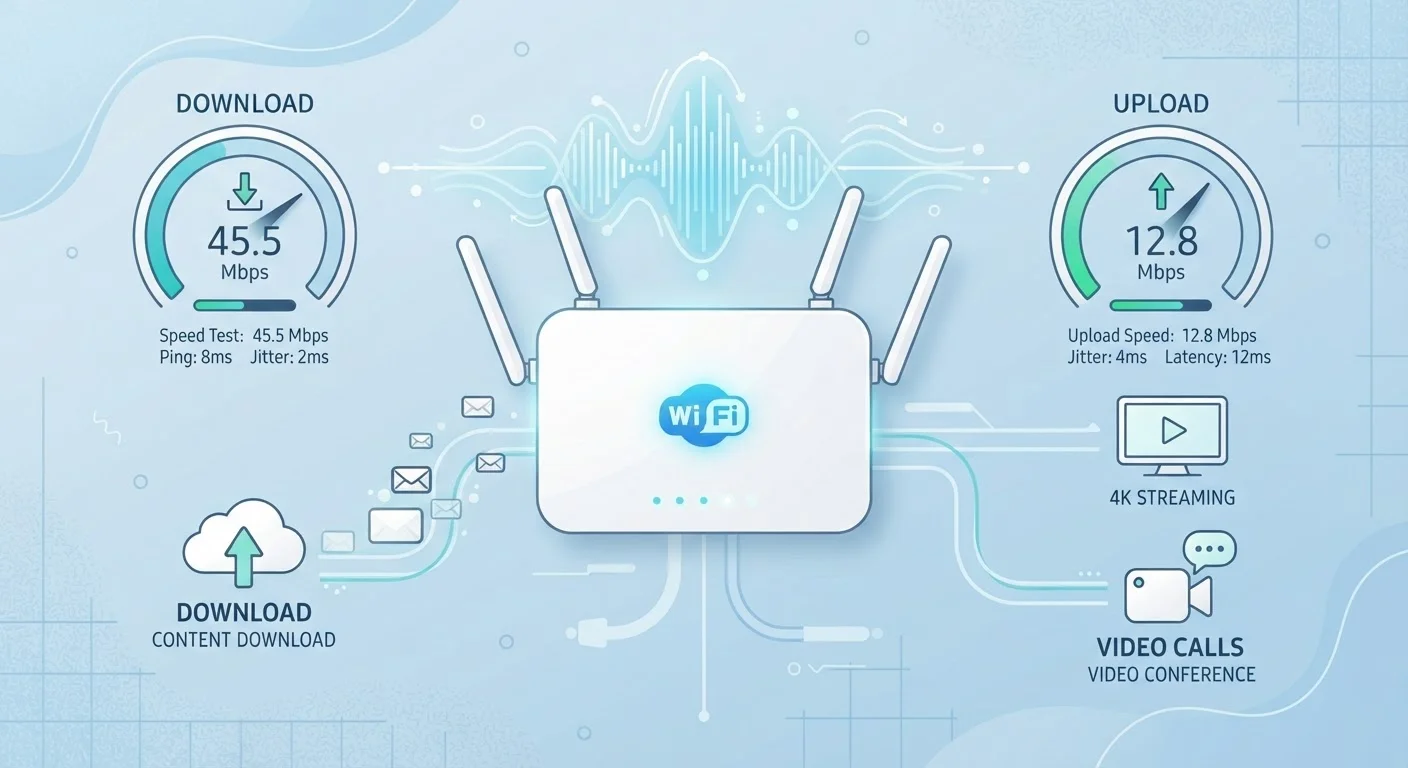
Most internet plans advertise a download speed prominently, with the upload speed listed in smaller print. These are genuinely separate measurements and matter for different activities. Download speed determines how quickly your device receives data from the internet—streaming video, loading websites, and pulling files from cloud storage all depend on it. Upload speed determines how quickly your device sends data out—video calls, sharing files, posting content, and syncing backups all rely on upload capacity.
Standard residential plans are designed around asymmetric use, with download speeds often five to ten times faster than upload speeds. This was historically adequate when most users consumed content rather than creating or sending it. Today, the rise of remote work, video conferencing, and cloud-based collaboration has made upload speed a much more significant factor for many households.
If you routinely experience pixelated or frozen video during calls while the other party appears fine, a slow upload connection is a common culprit. Our article on why streaming quality drops covers how both upload and download factors contribute to video performance.
Putting It Together: Reading Your Connection Realistically
Knowing these three concepts—Mbps, bandwidth, and latency—gives you a practical framework for evaluating your home internet. When your provider says you have a 300 Mbps plan, that is your bandwidth ceiling under optimal conditions. Your actual throughput will be lower, shaped by the number of connected devices, the quality of your router, and whether you are using a wired or wireless connection.
Running a reputable internet speed test (multiple free tools are available from established network measurement organizations) gives you a real-time snapshot of your current download speed, upload speed, and latency. Testing at different times of day can reveal whether congestion from neighboring households or your provider's network is a factor.
For a fuller picture of the technical terms that appear across your devices and services, the wireless technology glossary covers related concepts like Wi-Fi 6, LTE, and 5G in plain language. And if you are trying to match your connection to a specific device, understanding what laptop specs actually mean can help you see how the hardware interacts with your network to shape overall performance.